
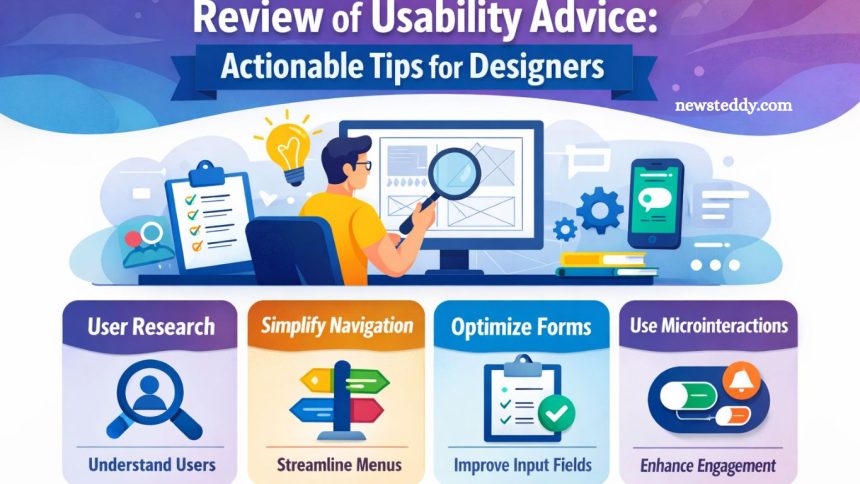
Usability plays a pivotal role in digital design, shaping how users interact with websites, apps, and products. A design may look stunning, but if it confuses or frustrates users, its effectiveness diminishes. For designers, understanding and applying usability principles ensures interfaces are intuitive, efficient, and enjoyable. Key aspects like clarity, consistency, accessibility, and responsiveness form the foundation of user-centered design.
This article reviews practical usability advice and provides actionable tips that designers can implement immediately. From simplifying navigation and optimizing forms to incorporating microinteractions and testing across devices, these strategies help create seamless experiences. By focusing on usability, designers not only enhance user satisfaction but also drive engagement, retention, and long-term success.
Understanding Usability in Design
Usability refers to how easily users can navigate and interact with a product. A usable design allows users to accomplish their goals effectively, efficiently, and with satisfaction. Key principles of usability include clarity, consistency, accessibility, and responsiveness. Understanding these principles helps designers make informed choices that enhance the overall experience.
Read More: Keen Mask Review: Stylish Daily Protection
Clarity
Clarity ensures that users immediately understand the purpose of each element on a page or screen. Clear labels, simple navigation, and intuitive layouts reduce cognitive load. Designers should focus on minimizing ambiguity in messaging and interactions. Clear typography, appropriate spacing, and strategic use of color guide users naturally through the interface.
Consistency
Consistency maintains a familiar and predictable user experience. Design patterns, button styles, and navigation structures should remain uniform across the product. Users quickly learn to interact with consistent elements, reducing errors and frustration. Standardized conventions, such as common iconography or placement of interactive elements, make the interface more approachable.
Accessibility
Accessibility ensures that all users, including those with disabilities, can use the product effectively. Incorporating accessibility guidelines, such as proper contrast ratios, keyboard navigation, and screen reader compatibility, broadens the user base. Inclusive design improves usability for everyone while aligning with ethical and legal standards.
Responsiveness
Responsiveness refers to how well a design adapts to different devices and screen sizes. Mobile-first design strategies and flexible layouts guarantee usability across platforms. Slow-loading pages or elements that break on small screens create friction, whereas responsive designs maintain a smooth and consistent experience.
Actionable Usability Tips for Designers
Improving usability requires both strategic thinking and practical application. Below are actionable tips that designers can implement immediately.
Conduct User Research
Understanding the target audience is essential. Conduct interviews, surveys, and usability testing to uncover user needs, preferences, and pain points. Real user feedback provides insights that guide design decisions, ensuring that the interface aligns with expectations.
Simplify Navigation
Navigation should allow users to reach their goals with minimal effort. Organize content logically and use clear labels. Limit menu options to avoid overwhelming users. Breadcrumbs and search functionality help users recover from missteps and explore content efficiently.
Prioritize Content Hierarchy
A strong content hierarchy guides users’ attention. Use headings, subheadings, and visual cues to emphasize important information. Strategically placed calls to action encourage desired behaviors while avoiding clutter. Designers should balance aesthetic appeal with functional clarity.
Use Feedback Mechanisms
Interactive feedback enhances usability. Buttons, forms, and interactive elements should provide immediate responses, such as visual cues, confirmations, or error messages. Feedback reassures users that their actions are recognized and prevents confusion or repeated mistakes.
Optimize Forms and Input Fields
Forms often create friction in the user experience. Reduce the number of required fields, provide clear labels, and use inline validation to help users complete tasks efficiently. Auto-fill options and smart defaults also streamline interactions, enhancing satisfaction.
Test Across Devices
Cross-device testing ensures that usability remains consistent across devices. Different screen sizes, resolutions, and browsers can impact layout, functionality, and accessibility. Conduct thorough testing and adjust designs to ensure a smooth user experience across all platforms.
Implement Visual Hierarchy
Visual hierarchy organizes elements to convey importance and guide attention. Use size, color, contrast, and spacing strategically to prioritize information. Well-structured layouts reduce cognitive load and make navigation effortless.
Reduce Cognitive Load
Complex interfaces overwhelm users. Break tasks into manageable steps, eliminate unnecessary elements, and use familiar patterns. Simplifying interactions allows users to focus on their goals rather than figuring out the interface.
Incorporate Microinteractions
Microinteractions add subtle cues that improve usability. Hover effects, progress indicators, and transition animations guide users and enhance engagement. Thoughtful microinteractions create a sense of responsiveness and intuitiveness in the design.
Continuously Iterate
Usability is never a one-time achievement. Regularly gather user feedback, analyze behavior metrics, and refine designs. Iterative improvements ensure the interface evolves alongside user needs, maintaining relevance and satisfaction over time.
Common Usability Mistakes to Avoid
Even experienced designers can fall into usability traps. Awareness of common pitfalls helps prevent costly mistakes.
Overcomplicating Design
Adding excessive visual elements or functionality can overwhelm users. Strive for simplicity and clarity. Every design choice should serve a purpose and contribute to usability.
Ignoring Accessibility
Neglecting accessibility excludes a significant portion of users. Ensure compliance with accessibility standards to create inclusive experiences that benefit everyone.
Poor Mobile Optimization
With mobile usage surpassing desktop in many cases, designs that fail to adapt to smaller screens frustrate users. Responsive layouts and mobile-first strategies are critical.
Inconsistent Interaction Patterns
Varying buttons, links, or navigation styles confuse users. Consistency across the product establishes trust and predictability, enhancing usability.
Tools and Techniques for Improving Usability
Several tools help designers create user-friendly interfaces. Incorporating these resources into workflows streamlines the implementation of usability enhancements.
- Usability Testing Platforms: Tools like UserTesting or Lookback allow designers to gather real-time user feedback and observe interaction patterns.
- Analytics Tools: Google Analytics, Hotjar, and similar platforms provide insights into user behavior, highlighting friction points and areas for improvement.
- Accessibility Checkers: Tools such as WAVE or Axe evaluate accessibility compliance, ensuring inclusive design practices.
- Wireframing and Prototyping Tools: Figma, Sketch, and Adobe XD enable rapid iteration, allowing designers to test usability before development.
Measuring Usability Success
Evaluating usability involves both qualitative and quantitative metrics. Key performance indicators include task completion rate, error frequency, time on task, and user satisfaction. Combining analytics with user feedback provides a holistic view of the interface’s effectiveness and areas for improvement.
Frequently Asked Questions
What is usability in design?
Usability in design measures how easily users can navigate, interact with, and achieve goals within a product.
Why is usability important for designers?
High usability improves user satisfaction, reduces errors, and increases engagement, making designs more effective and user-friendly.
How can designers improve usability?
Designers can improve usability by simplifying navigation, prioritizing content hierarchy, testing across devices, and gathering user feedback.
What are common usability mistakes to avoid?
Common mistakes include overcomplicating interfaces, ignoring accessibility, poor mobile optimization, and inconsistent interaction patterns.
How do microinteractions enhance usability?
Microinteractions provide subtle feedback, guide users through actions, and create a more intuitive and engaging interface.
Which tools help test usability?
Tools like UserTesting, Hotjar, Figma, and accessibility checkers like WAVE help evaluate and improve usability.
How is usability success measured?
Usability success is measured using task completion rates, error frequency, user satisfaction, and behavioral analytics.
Conclusion
Prioritizing usability transforms digital designs into intuitive, efficient, and engaging experiences. Designers who focus on clarity, consistency, accessibility, and responsiveness empower users to achieve their goals effortlessly. Implementing actionable tips such as simplifying navigation, optimizing forms, leveraging microinteractions, and continuously iterating enhances satisfaction and builds trust.